
LinkedIn Headshot Guide: Look Professional & Advance Your Career
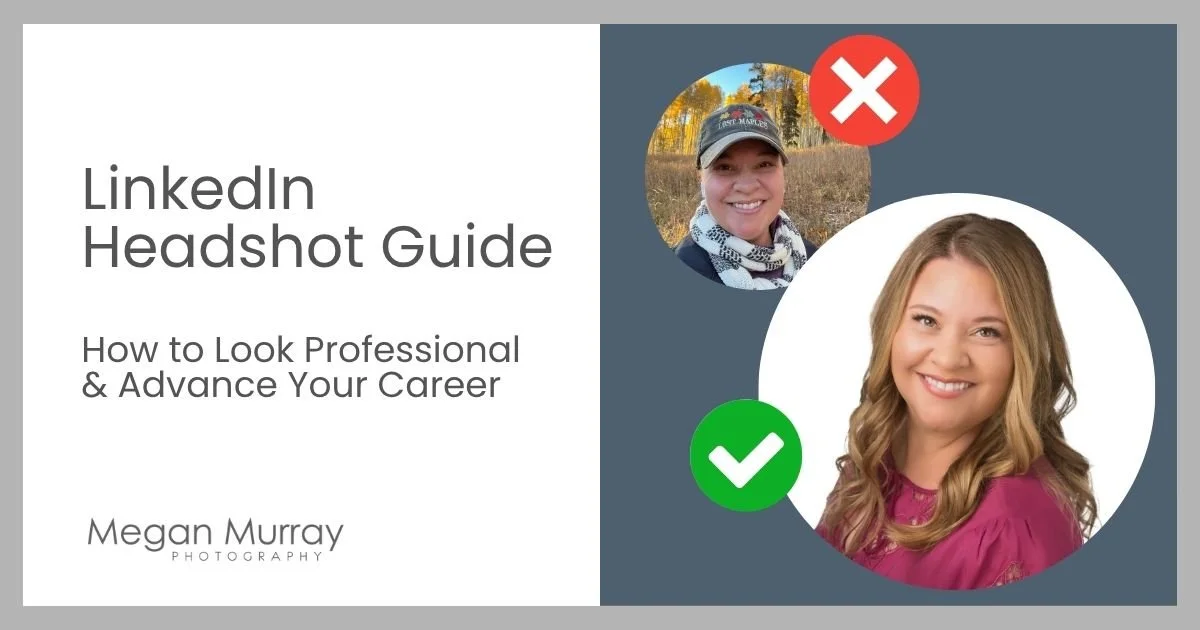
Most people don’t wake up thinking, “I should update my LinkedIn headshot today.”
But at some point, whether it’s a new job, a career move, a speaking opportunity, or a long-overdue profile refresh, it suddenly becomes a priority.
That’s when I typically hear from clients.
Your LinkedIn headshot is often your first impression. Before someone reads your experience or even your headline, they’ve already formed an opinion based on your photo. LinkedIn reports that profiles with a photo get up to 21x more profile views and 9x more connection requests.
So while it may feel like a small detail, it matters. Aim for a photo that feels intentional, professional, and approachable.
Best LinkedIn Headshots (Quick Guide)
If you want the highlights before diving in:
Best overall: clean background + good light + natural expression
Crop: head and shoulders, face filling most of the frame
Colors: solid, mid-tone or bold colors
Expression: approachable > overly serious
Authenticity: looks like you & aligned with your profession
Avoid: selfies, vacation photos, group crops, no photo at all
What Makes a Good LinkedIn Headshot
A strong LinkedIn headshot:
Puts the focus on you. Your face should be clear, well-lit, and easy to recognize, even at a small size.
Feels approachable. Most people today want to look professional and human, not stiff or formal.
Looks intentional. Lighting, background, and styling should feel intentional.
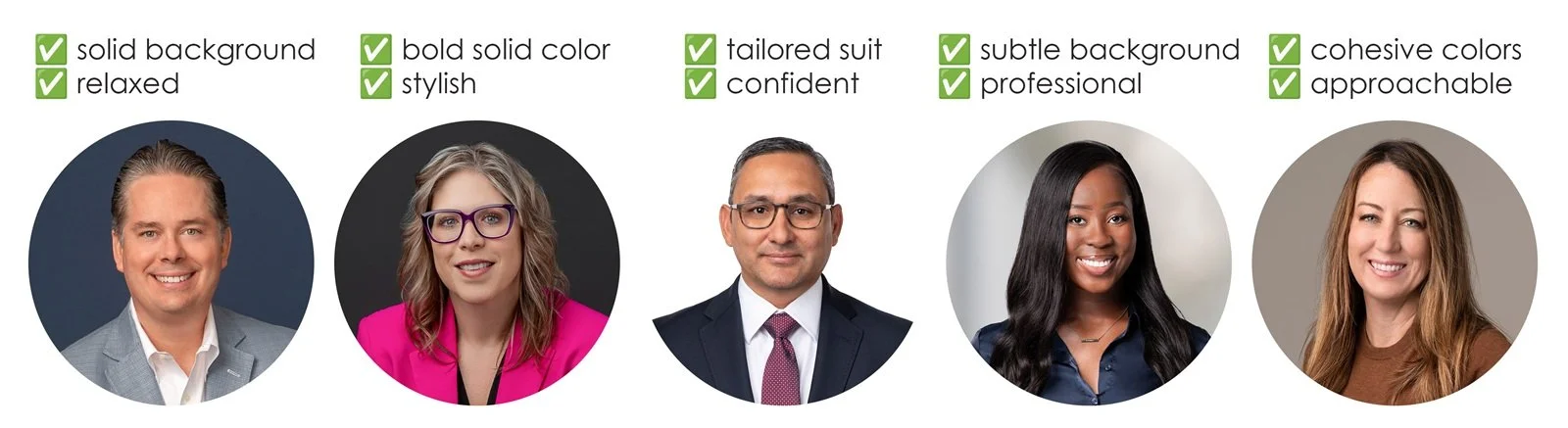
LinkedIn Headshot Dos
✨ Pro tip: The background sets context. For LinkedIn, I recommend a solid or subtle digital background for a clean & modern look. Learn more about choosing the right headshot backgrounds.
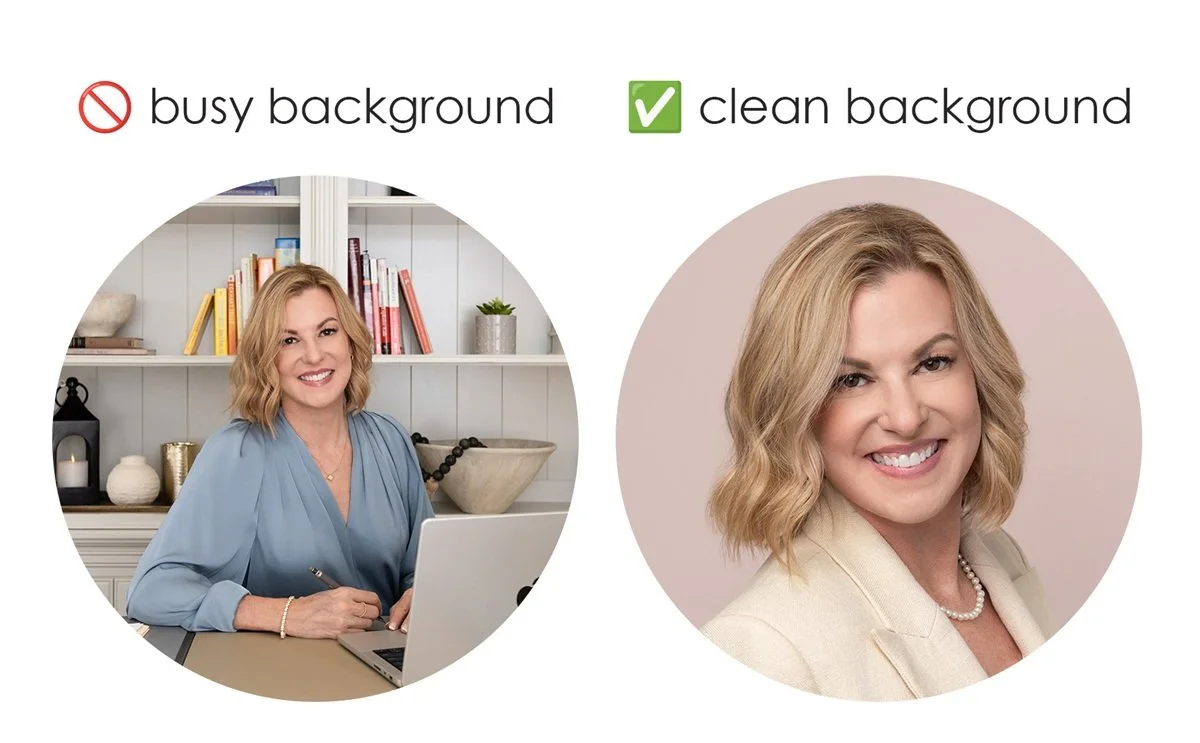
Simple background for LinkedIn headshots
LinkedIn Headshot Mistakes to Avoid
Let’s talk about the terrible headshots seen on LinkedIn:
Vacation photos
Car selfies
Group photos (with someone awkwardly cropped out)
Blurry or poorly lit images
Office “mugshots” (the one your coworker snapped of you in front of a blank wall)
Obviously AI-generated
No photo at all
If I can gently call you out for a second, these profile photos send the same message:
👉 “I didn’t put much effort into this.”
And if you don’t take your image seriously, others may not either.
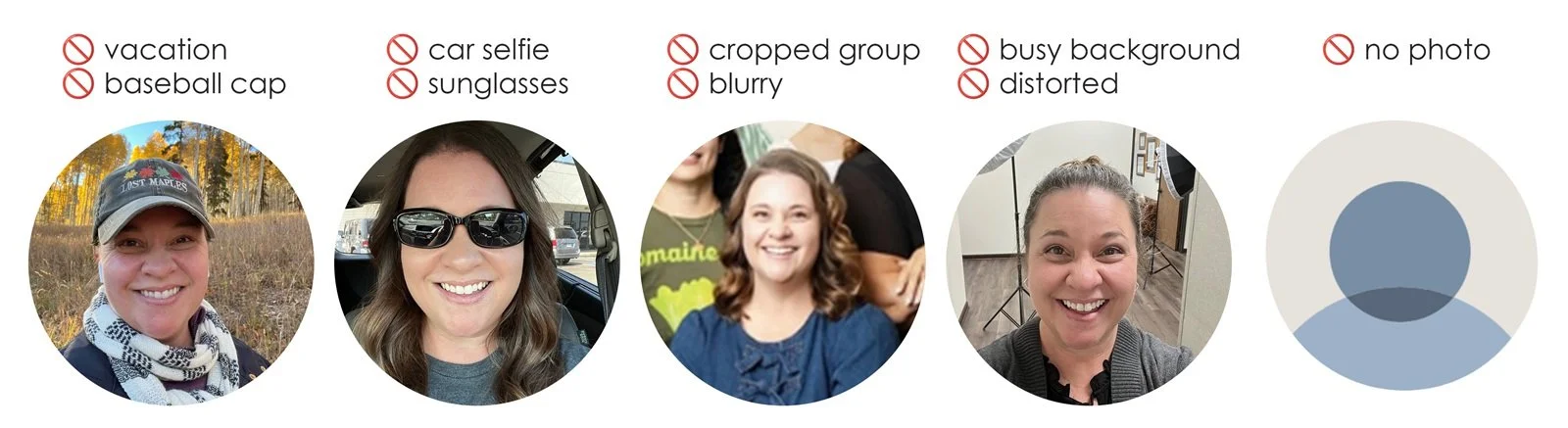
LinkedIn Headshot Don’ts
* Disclaimer: These are not actual headshots, just everyday photos from my camera roll repurposed to show what not to do.
Another misconception is that one headshot will last for years. While it can, it’s better to have options. Different uses call for different crops, poses, and expressions. You’re not one-dimensional, and your headshot doesn’t have to be either.
LinkedIn Headshot Size, Cropping & Framing
Your profile photo is small, so clarity is everything.
Head and shoulders crop
Your face should fill about 60% of the frame
Keep your face centered for LinkedIn’s circular crop
If you can’t clearly see your eyes, it’s too far out
When in doubt, crop tighter than you think.
✨ Pro tip: your photo should still look clear & recognizable as a tiny circle on a phone screen.
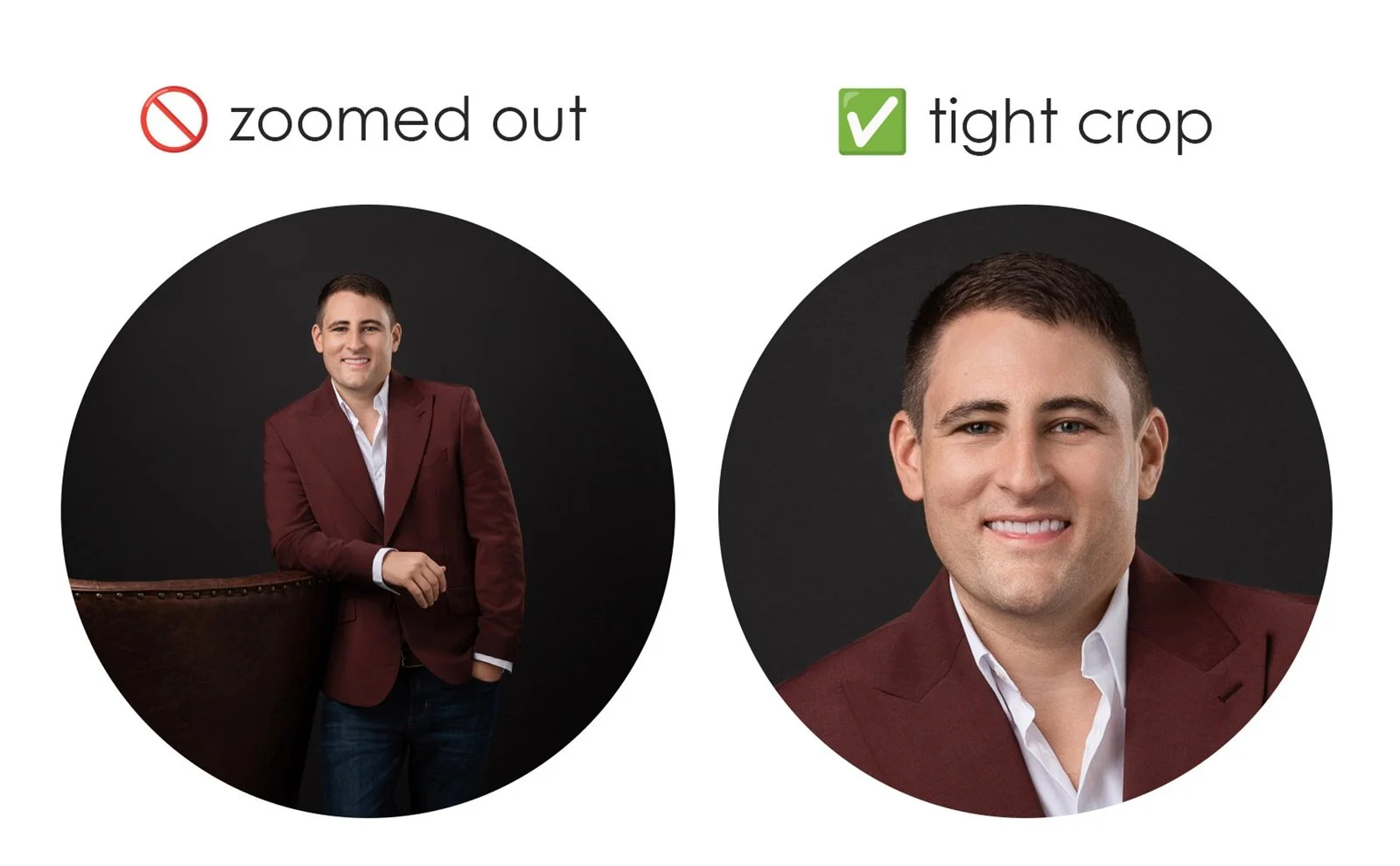
Cropping your headshot for LinkedIn
What to Wear for a LinkedIn Headshot
Keep it simple and intentional:
Solid colors > busy patterns
Well-fitted, clean, wrinkle-free clothing
Dress slightly elevated from your everyday look
Match your industry
Best Colors for Professional LinkedIn Headshots
Color has a big impact on how your headshot reads. While many professionals default to using conventional blues or grays, I personally love a bold color for LinkedIn headshots, because it’s eye-catching and helps you stand out.
Choose solid color clothing & backgrounds over busy patterns & environments
Jewel tones (navy, emerald, burgundy, plum) photograph beautifully
👉 For a deeper dive, see my guide on best colors to wear for headshots.
Professional LinkedIn Headshots vs DIY
Do you really need to hire a professional headshot photographer? It depends.
DIY headshots can work if:
You’re just starting out
You don’t have the budget yet
You need something better than nothing
A professional headshot matters when:
You’re job searching
You’re making a career move
You’re building a personal brand
You want to be taken seriously
The difference in working with a professional photographer is not just the camera, it’s:
Lighting that flatters
Guided posing & expression coaching
Real-time feedback
Time and expertise to get it right
Hiring a pro is an investment in yourself.
How to Take a Headshot for LinkedIn (DIY Tips)
If you’re going the DIY route, here are a few tips to help you get the best results:
Stand facing or slightly angled toward a window
Avoid overhead or backlighting
Use a simple background
Keep the camera at or slightly above eye level
Use a timer or tripod or friend (not your arm)
✨ Pro tip: avoid using a wide-angle lens or standing too close to the camera to prevent distortion.
AI Headshots for LinkedIn: Are They Worth It?
AI headshots are everywhere right now. I understand the appeal: upload a few selfies and quickly get multiple options of AI-you in different expressions, clothing, and settings. Some are impressively realistic. Others… not so much.
My take: If your work is built on relationships and trust, your photo should reflect that. You don’t want to be accidentally catfishing people. 😉
Something else to consider: most of my clients tell me their headshot session was actually fun, and leave with a renewed sense of confidence. This personalized experience simply cannot be replicated with AI.
But what about retouching: isn’t that artificial? I won’t completely bash AI, as photographers use AI tools in editing too.
My approach is “responsible retouching”:
You, on your best day
Not overly altered
Not plastic or unrealistic
👉 Your headshot should be an accurate reflection of you.
Expression: The Part Most People Struggle With
Almost everyone tells me: “I’m not photogenic.” Totally normal.
During a session, I guide you through:
where & how to sit/stand
what to do with your hands
how to adjust your posture
and we work through a range of expressions
Because variety matters, and so does finding what feels natural.
What I see most often is a shift from:
👉 nervous → relaxed → confident
And once people relax, that’s when the best images happen.
Related article: how to look good in headshots when you think you’re not photogenic.
Where Else You Can Use Your LinkedIn Headshot
A great headshot doesn’t just live on LinkedIn.
You can also use it for:
Company websites
Email signatures
Video conferencing profiles
Speaking engagements
Press features
Social media profiles
It’s one of the most versatile images you’ll have.
✨ Pro tip: In addition to your profile photo, create a custom LinkedIn cover image with your headshot.

Branded LinkedIn Cover Image
Common Questions About LinkedIn Headshots
-
You can, but it rarely looks as polished or intentional.
-
They can be, but authenticity matters. If it doesn’t truly look like you, it can work against you.
-
Solid, well-fitted clothing that aligns with your industry and keeps the focus on your face.
-
Every few years, or anytime your appearance changes significantly.
The best LinkedIn headshots are:
clear and recognizable
natural and confident
aligned with how you want to be perceived
If it’s time for an update, I’d love to help. And if you’d like to connect, you can find me on LinkedIn.
Megan Murray is a Houston headshot photographer specializing in modern, professional, & approachable headshots. To learn more, get in touch!